
Positive replies should not turn into another manual queue. ColdGenius now helps with the next step after a prospect responds, drafting a reply you can review and send from the same thread.
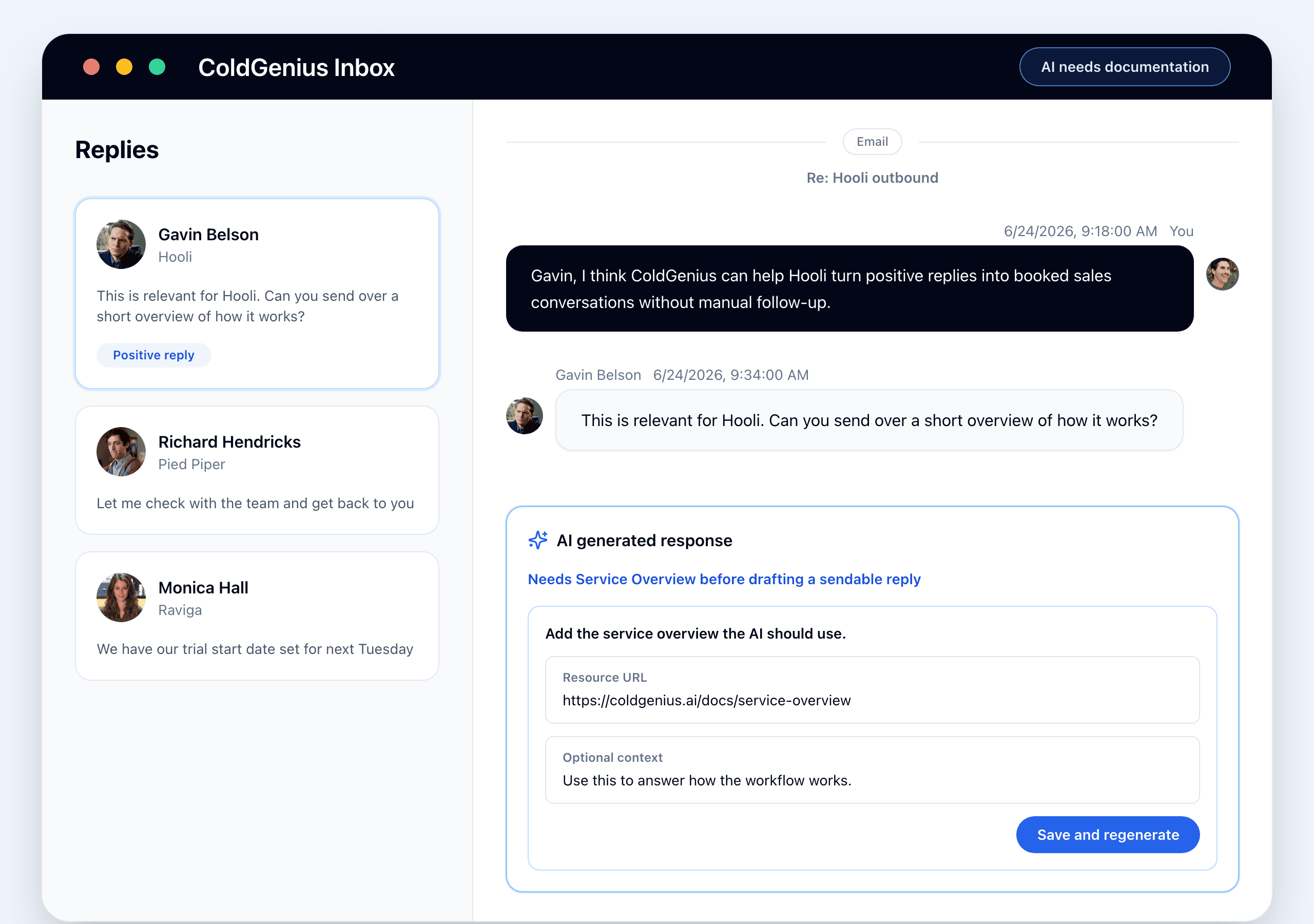
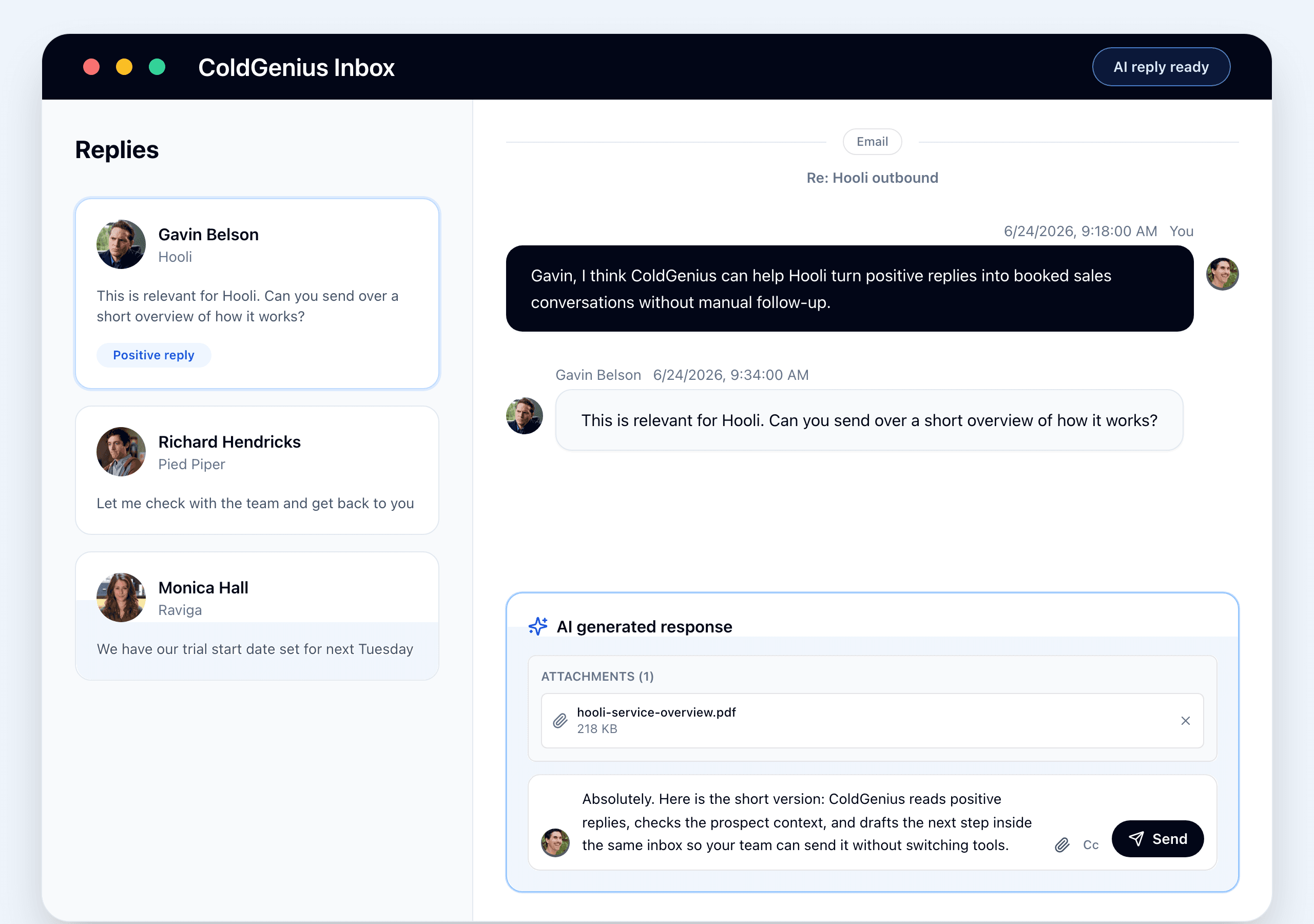
If someone asks for a case study, service overview, deck, or other context the AI does not have yet, it pauses instead of guessing. Add the resource once, and ColdGenius uses it to regenerate the reply and future follow-ups.
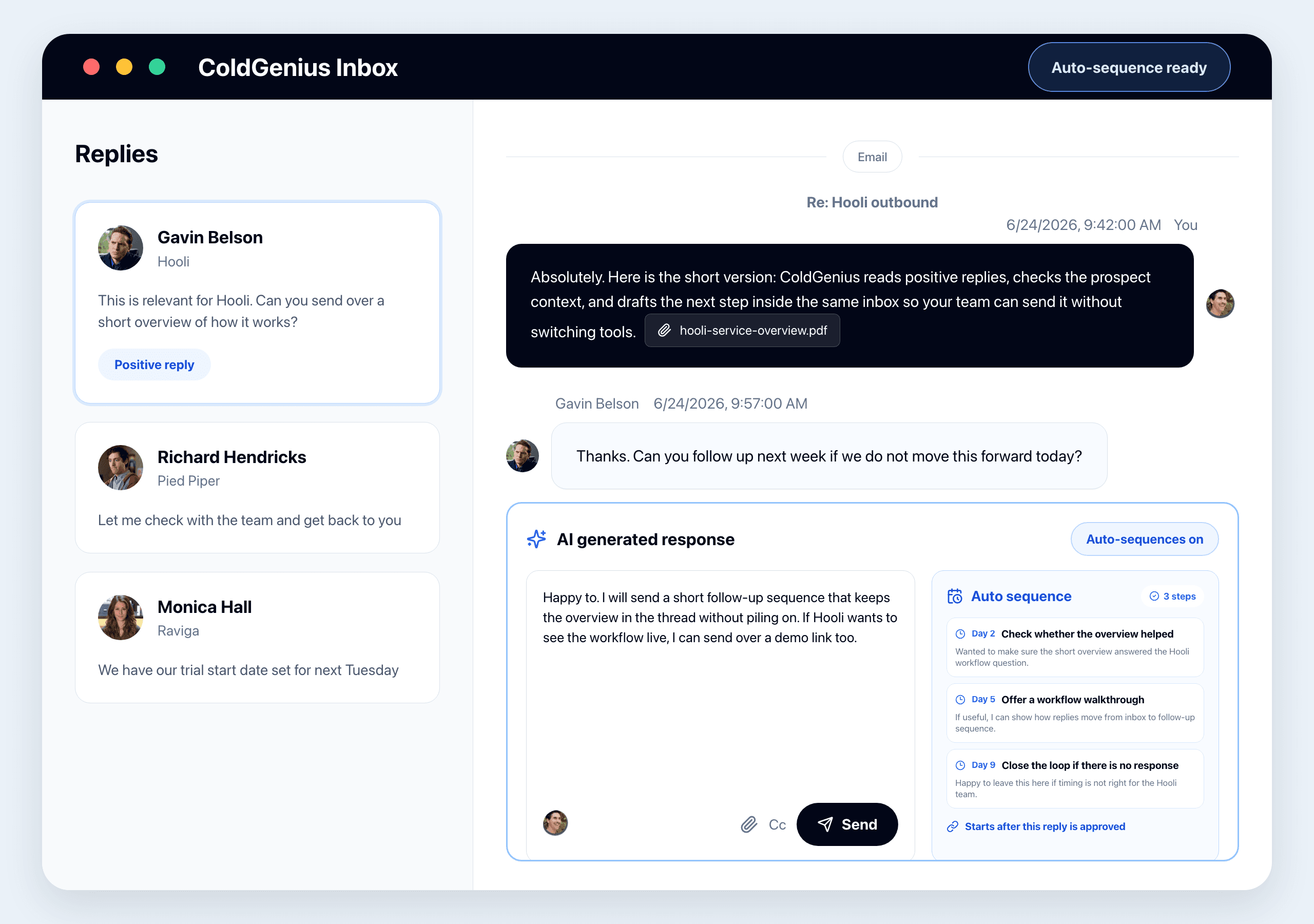
You can also let ColdGenius prepare the next follow-ups automatically. It builds the sequence from the same context, keeps the timing visible, and starts only after you approve the reply.
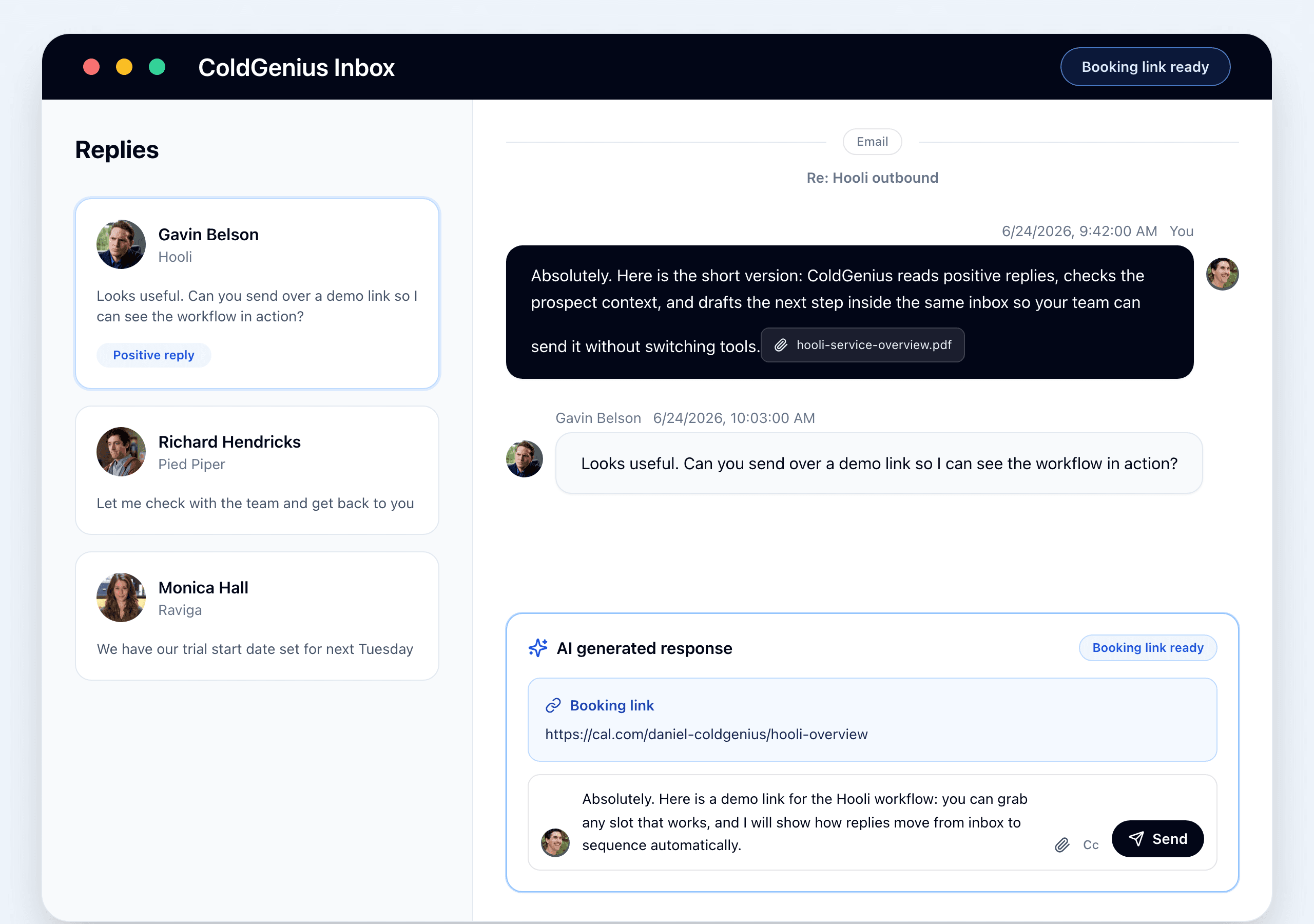
The same workflow handles booking requests. If you have a booking link saved, ColdGenius can include it in the reply. If direct booking is connected, it can prepare the meeting invite too.
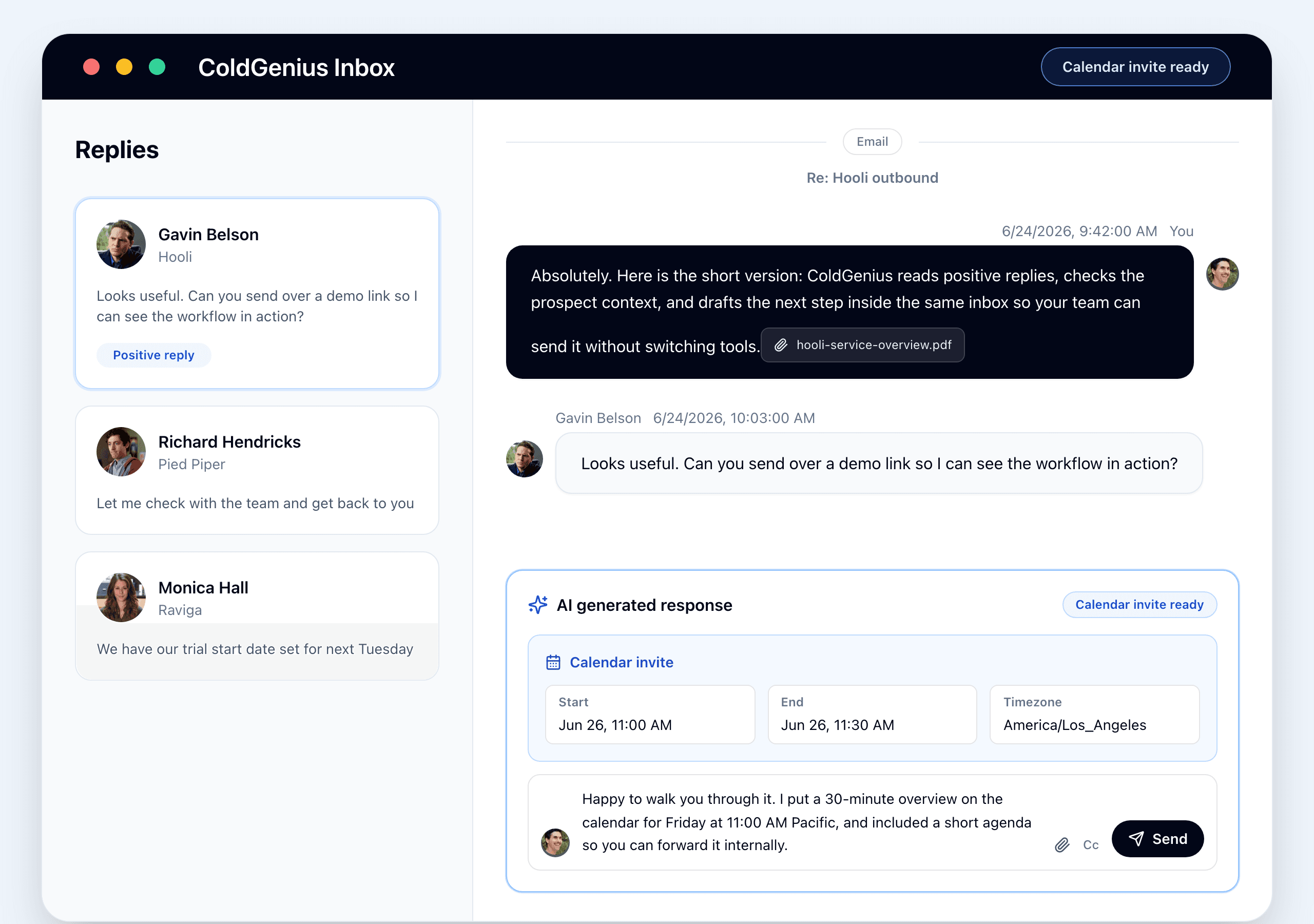
Open a positive reply from your inbox to try it. You stay in control of the final message, and ColdGenius handles the boring part: knowing when to ask for context, when to send a link, and when to move the conversation toward a meeting.